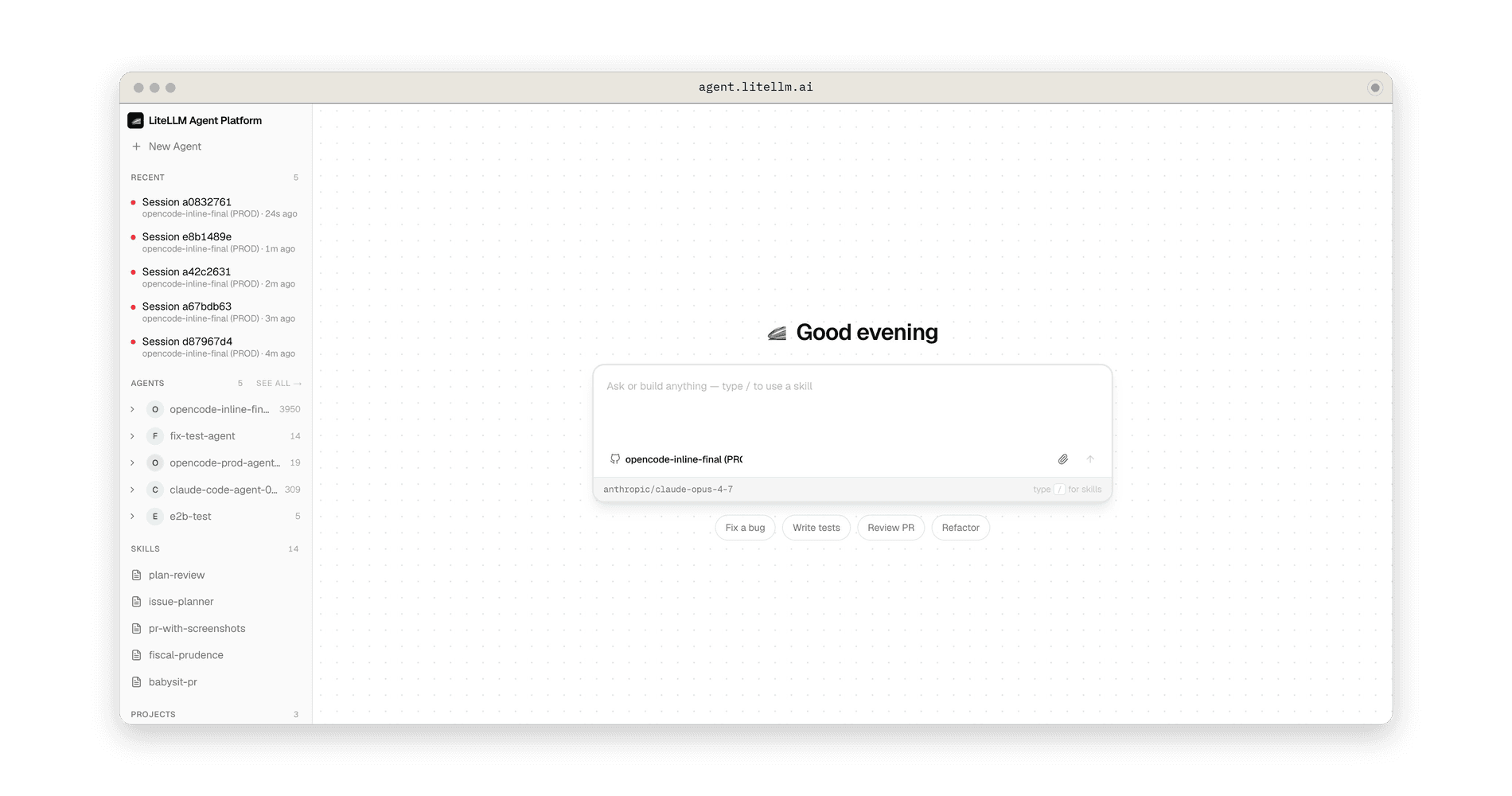
Give your team one place to find and share useful agent skills. With LiteLLM Skills Gateway, teammates can reuse a skill's instructions and supporting files in their own AI agents.
This blog post is about how you can do model lifecycle management with LiteLLM AI Gateway. We are giving you the following primitives to better manage model deprecations.
We heard from a lot of our production gateway users that model deprecation was a problem: for production use cases, it's hard to figure out how to prevent outages.
This helps prevent outages with:
Alerting around model deprecations.
Emails around model deprecations.
Usage tracking for different models that are getting deprecated, so you can validate that traffic is going down once you migrate, and a recommended model to use.
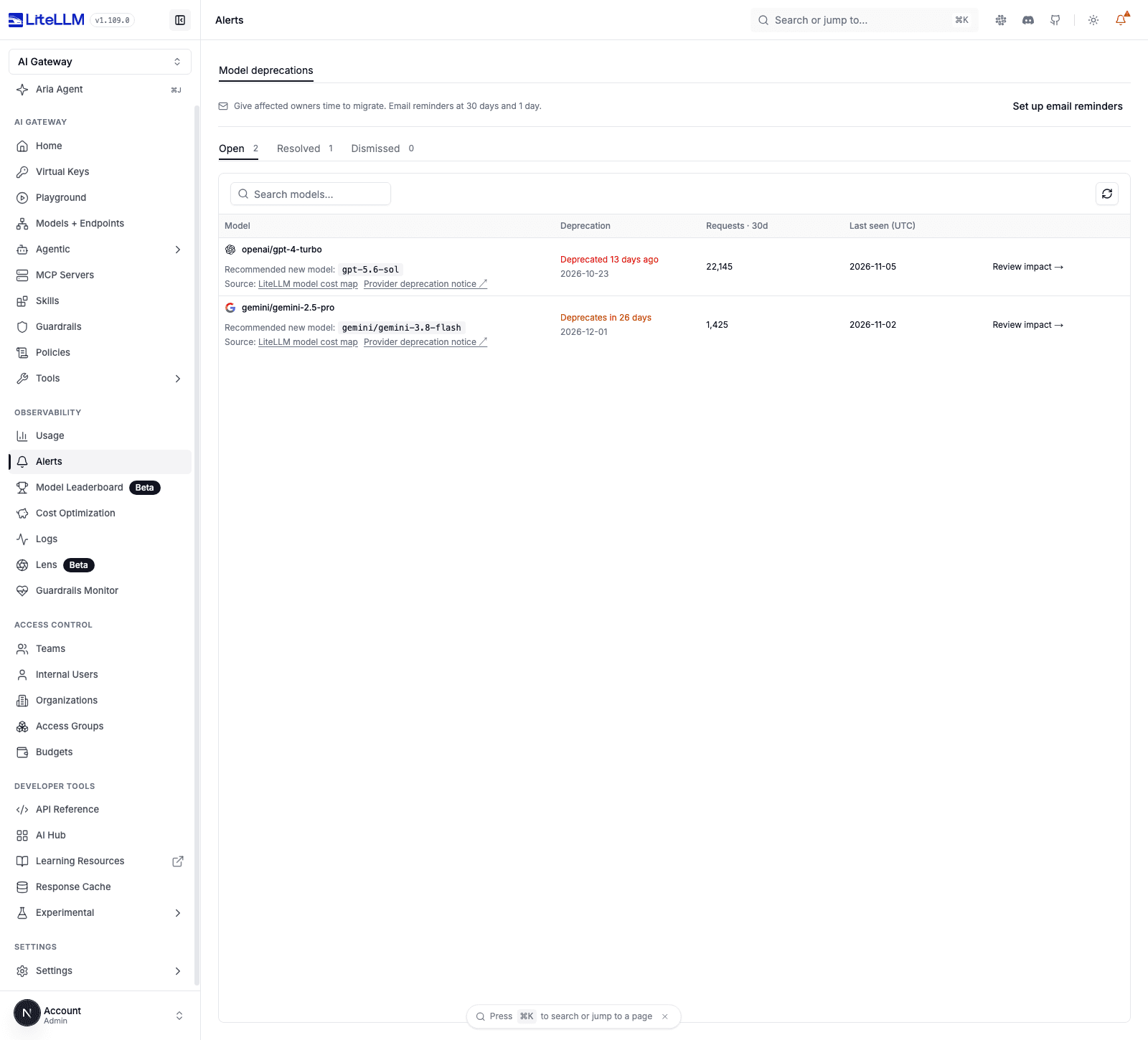
Check the notification bell for model deprecations that need attention. Open Alerts under Observability, then select Model deprecations. You can see the provider, the model, its deprecation date, requests in the last 30 days, and when LiteLLM last saw traffic to it.
Open the alert to investigate the migration across teams. You can keep the alert open while you coordinate with the owners, then return to the same page to check progress.
The Model deprecations inbox in the LiteLLM UI. Sample usage; the provider deadline and recommendation come from model metadata.
From the alert, click Set up email reminders, then Open Email Settings. This opens Logging & Alerts → Email Alerts.
If your gateway already sends email, keep its delivery settings. Otherwise, enter the SMTP connection details from your email provider in Email Server Settings. Set Gateway URL to the public address owners use to reach your gateway and save. Enter TEST_EMAIL_ADDRESS, select Test Email Alerts, and confirm that the test email arrives.
In Email Notifications, turn on Model Deprecations and select Save Changes. This event is off by default.
LiteLLM schedules two reminders: 30 days before and 1 day before the provider's deprecation date, checked in UTC. It selects affected key owners and current team admins using requests from the last 30 days. Each recipient sees usage for their keys and teams they administer.
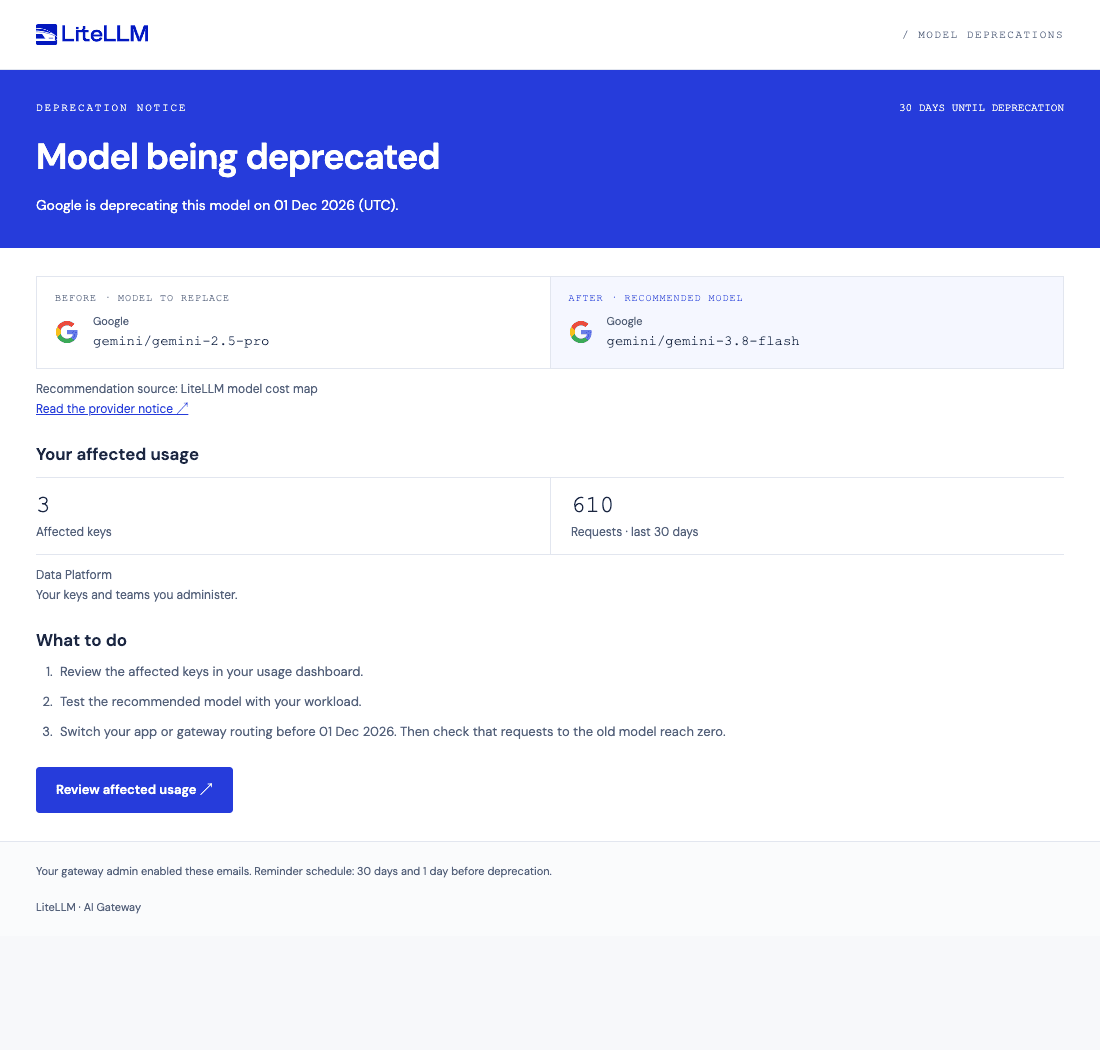
The email names the provider deprecating the model, shows the current and recommended models with provider logos, and gives the owner the migration steps. It includes the recommendation source, the provider notice, and a link to review usage in the gateway.
The 30-day email template with sample usage. Owners can see what changes, when they need to act, and where to review the affected traffic.
Keep the gateway running on the reminder dates. The scheduler does not send a missed reminder later if the gateway is offline for the entire UTC date.
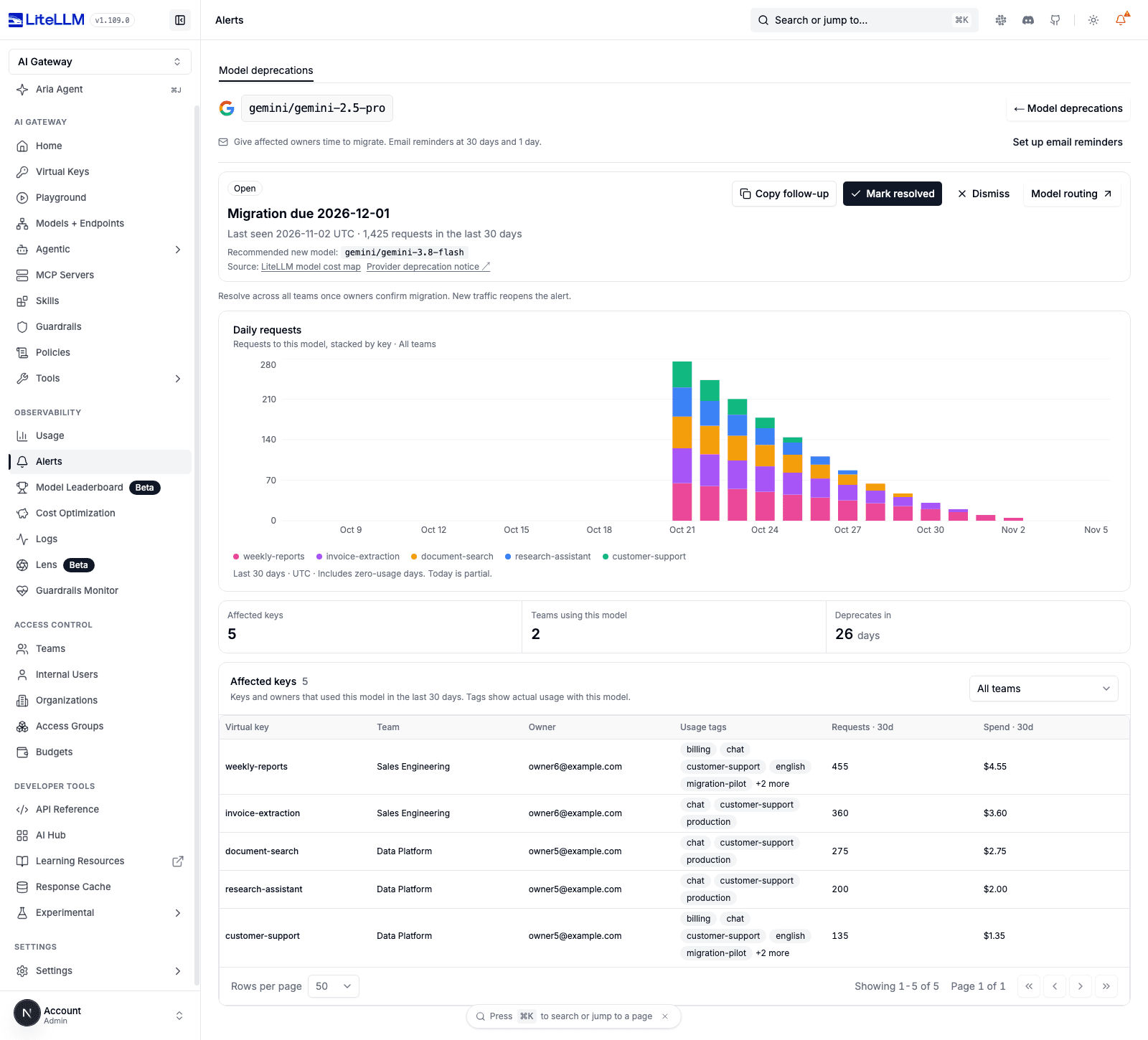
Click Review impact to open the model. The Daily requests chart shows requests to that model over time, with a separate stack for each key. Compare the total bar height to check whether usage is falling, then inspect the colored stacks to find the keys that still send traffic.
Below the chart, inspect the affected keys, teams, owners, and tags used with that model. Filter by team when you need to coordinate one part of the migration. Use the key and owner list to follow up with the people responsible for each production use case.
Actual LiteLLM UI with a seeded migration example: five use cases across two teams. Daily requests decline as the example keys move off the model. The final complete days show zero requests; the current day is partial.
You do not need to wait for the 30-day total to reach zero. That total includes historical requests. Compare the recent daily bars instead, and check a period that covers your use case. A weekly batch job needs a longer verification window than a service that sends requests every minute.
In this example, customer support, research, document search, invoice extraction, and weekly reports each have a key. As an owner migrates a use case, its color drops out of the daily bars. The key stays in the 30-day history so you can verify what changed.
The alert shows the model to replace and the Recommended new model. LiteLLM reads the recommendation from its model cost map, or from the deployment's configured replacement. The UI identifies which source supplied it and links to the upstream provider's deprecation notice when one is recorded.
Use the provider notice to check the upstream deadline and migration guidance. The cost map records the recommendation; it does not establish that the new model meets your application's quality, latency, or cost requirements. Test the replacement with the workload behind each affected key before switching production traffic.
You can use Model routing to open the relevant model configuration. If your application chooses the model, update that application. Keep the alert open while owners make these changes.
Return to Daily requests after the owners switch their applications or routing. Check that traffic to the old model reaches zero across the affected keys. Confirm the migration with owners of infrequent jobs before closing it.
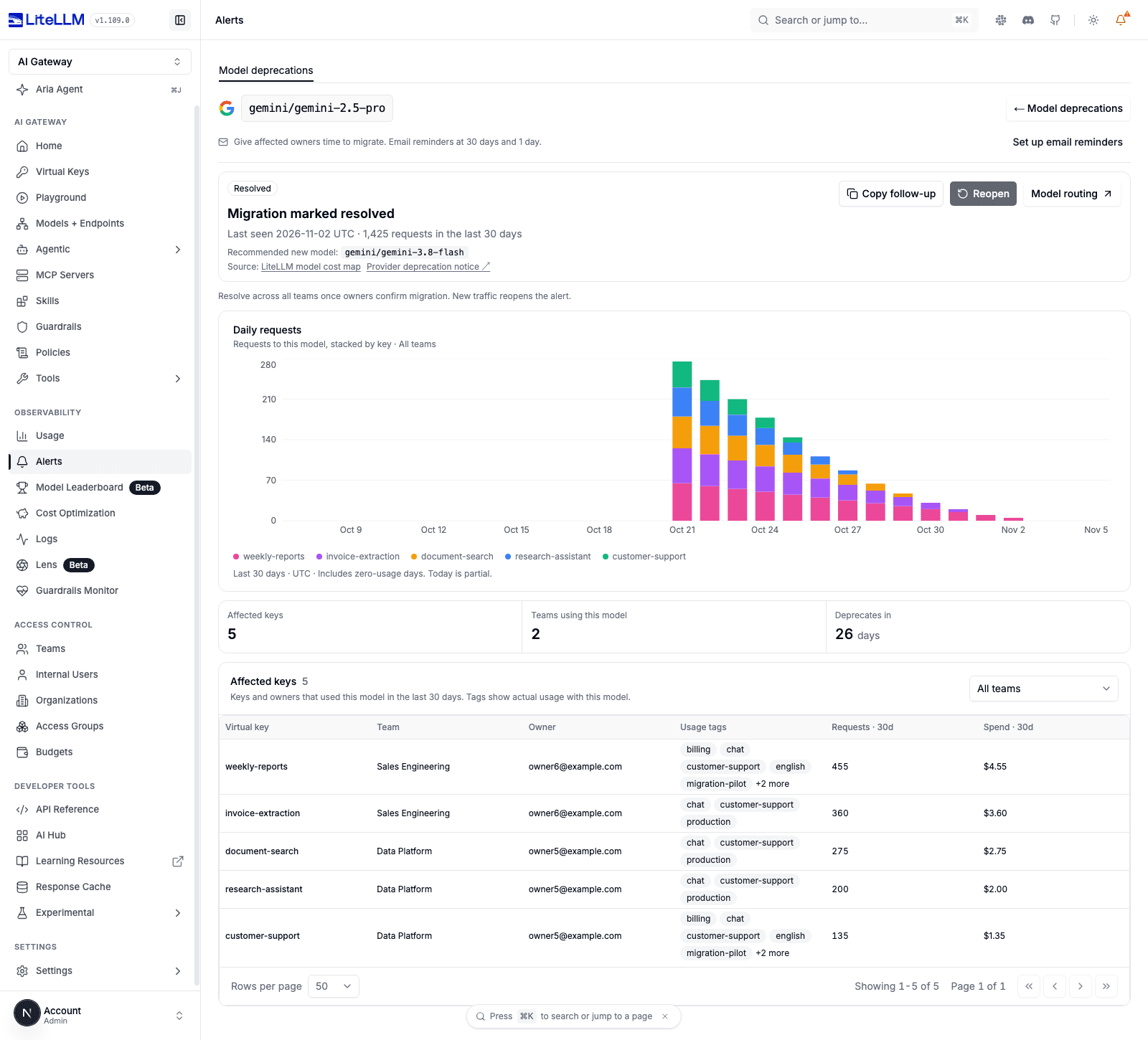
Click Mark resolved when that work is complete. LiteLLM moves the alert to Resolved, so your open inbox shows the migrations that still need attention. New requests to the model reopen the alert.
The same example migration after marking it resolved. Closing the alert records the team's decision; it does not change model routing.
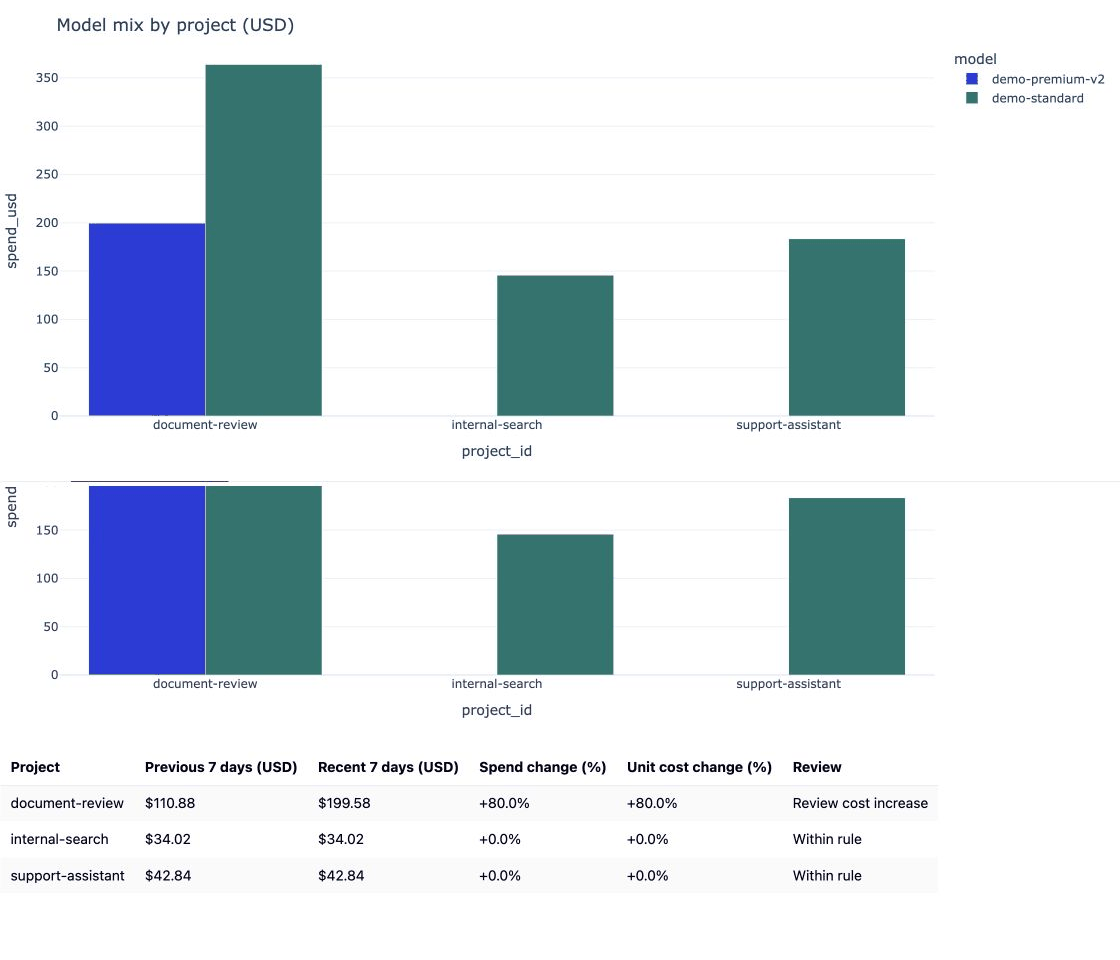
Model mix and seven-day cost changes in Hex. Synthetic demo data.
The public demo includes synthetic timing metrics. The daily team template reports recorded costs, requests and usage; daily rows do not include latency.
LiteLLM records AI costs in Postgres and maintains daily spend totals. Hex connects to that database and reads the totals. Use the dashboard to find a cost increase, then open LiteLLM to change routing or set a budget.
In Hex, open Settings → Data sources → + Connection → Postgres. Add a read-only connection to the database your LiteLLM gateway uses.
READ-ONLY DATA FLOWEXISTING DAILY AGGREGATES
01 / YOUR POSTGRESDaily spendLiteLLM_DailyTeamSpend
date + team_id
Day and team
model + spend
Recorded costs
api_requests
Daily requests
prompt_tokens + completion_tokens
Token usage
→
02 / HEX SOURCE QUERYTeam namesLiteLLM_TeamTable
Join daily totals to team display names. Keep ownership by stable team ID.
SQL included in the templateNo database objects created
→
03 / YOUR HEX APPCost reporting
Team costs. Model mix. Daily trends. Cost changes.
Refresh with a scheduled run
LiteLLM writes the daily totals in Postgres. Hex reads reporting columns from these two existing tables. You change budgets and routing in LiteLLM; Hex does not write to the gateway.
The template reads two existing tables: LiteLLM_DailyTeamSpend for costs and usage, and LiteLLM_TeamTable for team display names. It groups the results by day, team and model. Give the reader access to those reporting fields. It does not need your key table, prompts or responses.
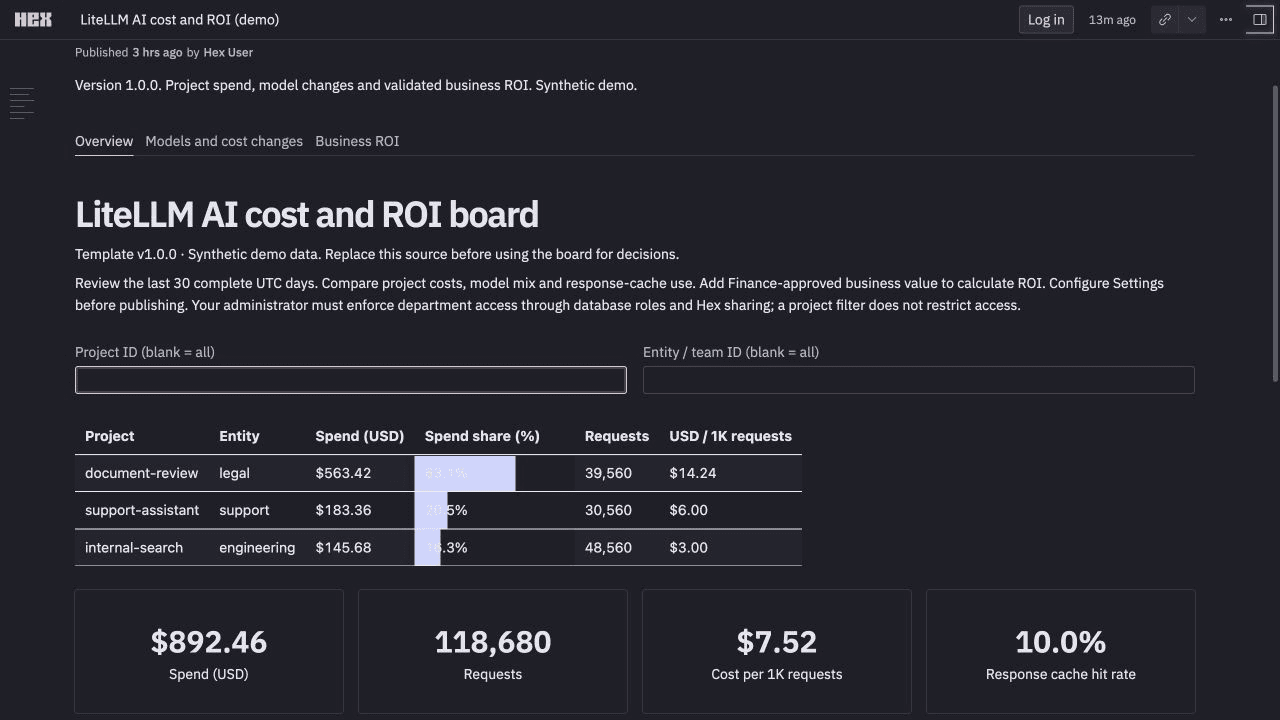
Open the live Hex demo first. You can filter it without signing in. Its records are synthetic.
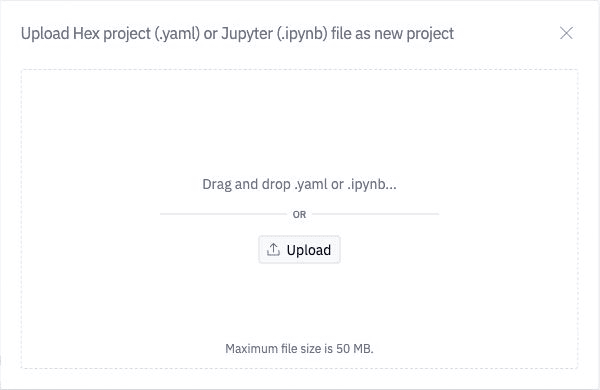
To use your own data, download the Postgres template below. In Hex Home, click + → Upload project, then click Upload in the dialog and choose the .hex.yaml file. Select your Postgres connection on the Source SQL cell and Run all.
Filter by team. Compare recorded spend, request volume and cost per thousand requests, then open Models and cost changes. In the demo, the Legal team's document-review workload switches models and unit cost rises 80%.
Use Hex to investigate the increase. Apply the change through your LiteLLM gateway.
Your decision
In the LiteLLM UI
Try a cheaper model
Open Teams → your team → Settings → Edit Settings → Model Aliases. Change the model behind an alias your application already calls, then save. Evaluate the candidate on your workload first.
Route by request complexity
Open Models + Endpoints → Auto Router → Add Auto Router. Choose the models for each tier, test routing and connections, then save. Configure your application or team alias to call that router.
Set a spending limit
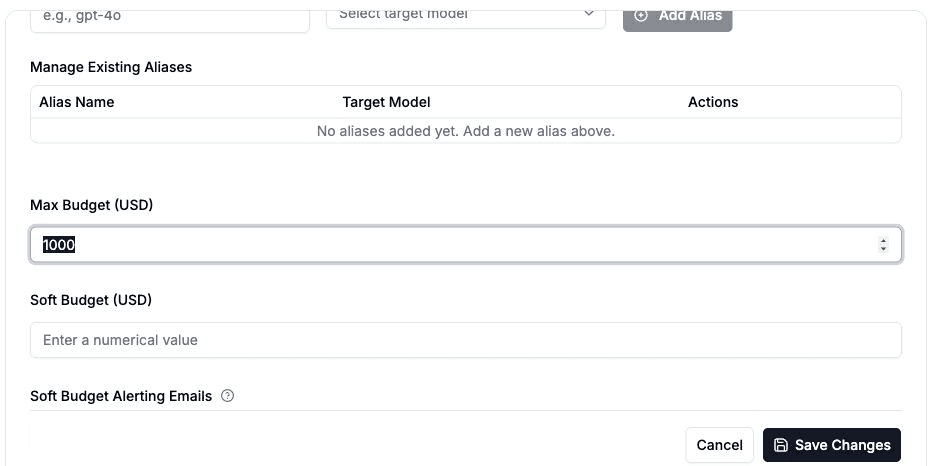
Open Teams → your team → Settings → Edit Settings. Set Max Budget (USD) and Reset Budget, then save.
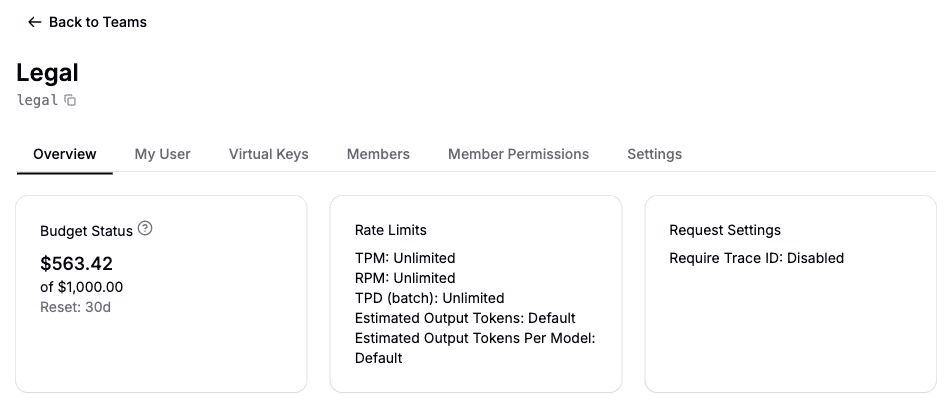
For example, select Legal in LiteLLM and set Max Budget (USD) to 1000 and Reset Budget to monthly (30 days). This limits new spend; it does not change recorded costs.
Current LiteLLM UI with synthetic local gateway data.
After saving, check the team's budget status. Then refresh Hex after LiteLLM updates its daily totals to compare the next complete period. Set a Hex scheduled run if you want the report to refresh on a schedule.
The Rust migration is being slightly rerouted to get the largest performance improvements to the largest portion of requests as quickly as possible. We will be focusing on /v1/messages requests to providers which natively support Anthropic-style APIs, with the most common set of proxy features enabled. By December 1st, you can expect the proxy to handle these requests with common configurations with about 20x less latency.
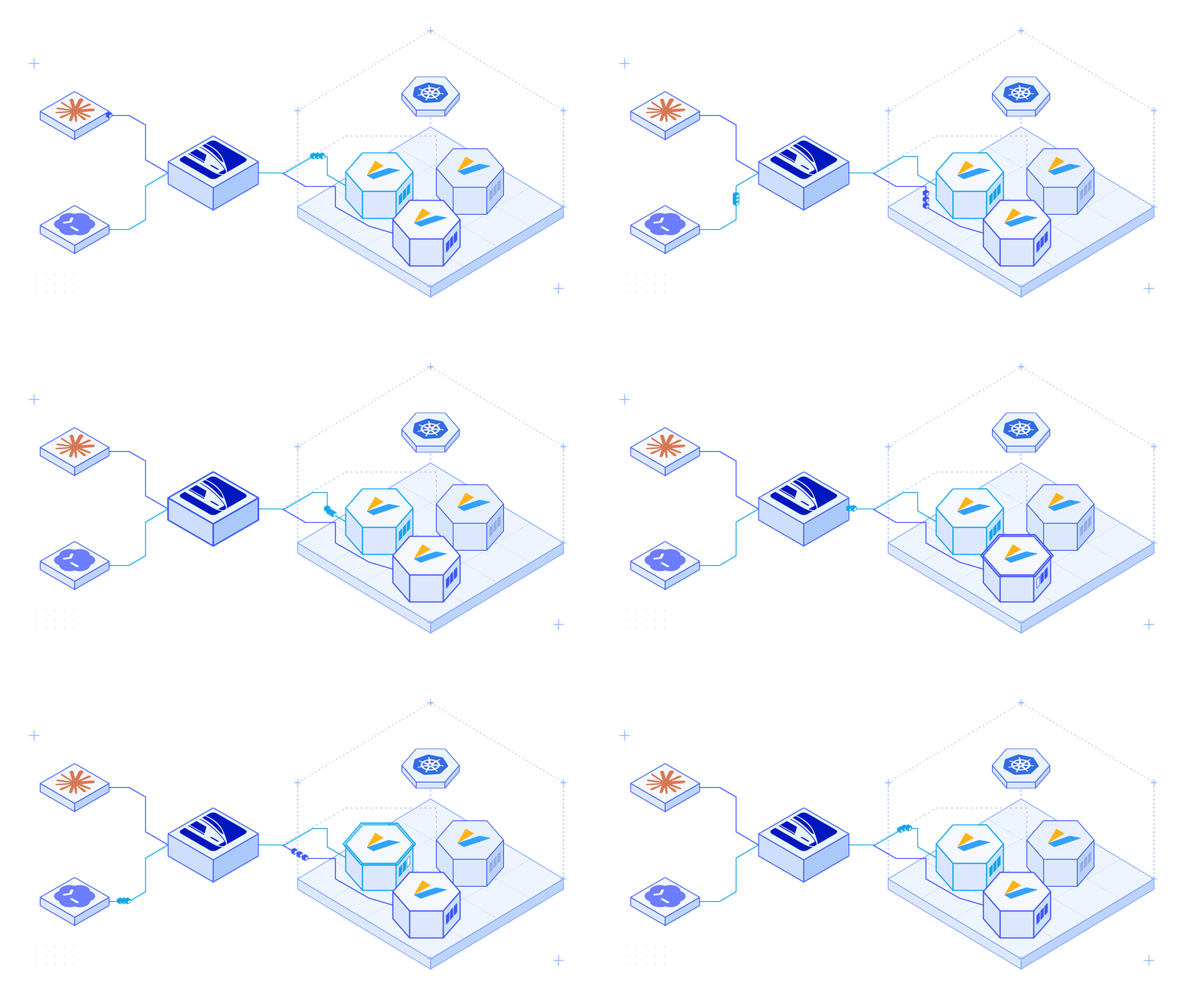
LiteLLM now supports cache-aware routing for self-hosted inference on Kubernetes. Within a deployment, requests from the same session go to the same GPU pod. This lets vLLM reuse cached prompt prefixes across turns.
Agent requests often share system instructions, tool definitions, and conversation history. When requests reach different pods, each pod may process the same prefix again. Session affinity helps reuse that work.
Microsoft 365 Copilot is now a provider in LiteLLM. Use it from your applications to ask questions about your Microsoft 365 work data.
Users sign in with their Microsoft work account and ask questions like “Summarize my latest meeting.” Copilot answers using the data they already have permission to access.
LiteLLM Auto Router now supports Laya and Bespoke Nimble as self-hosted classifiers. Run either model on your infrastructure to choose which completion model handles each request. Your application keeps calling the same router endpoint.
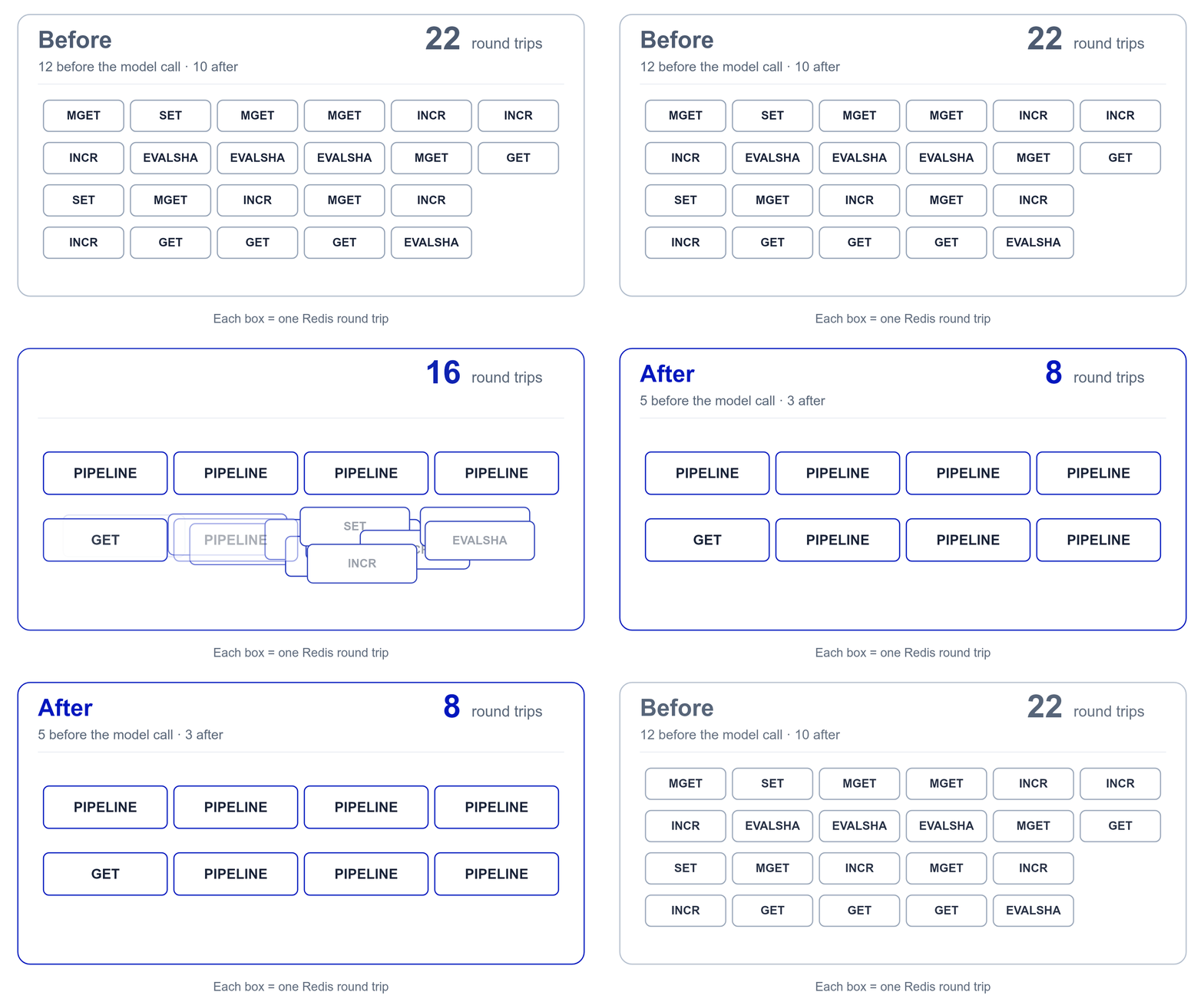
This week, we cut the number of times a request to the LiteLLM proxy waits on Redis from 22 to 8.
A request from a key with a budget, in a team with a budget and TPM/RPM limits, against a model group with usage-based routing and a Redis response cache, made 22 Redis round trips: 12 before the model was called and 10 after. The same request, with the same checks and the same writes, now makes 5 before and 3 after.
This week, we made the LiteLLM Usage page roughly 120x faster.
With 5,000 API keys, our Usage page took over six minutes to show 30 days of totals. We redesigned how it loads data and brought that down to 3.2 seconds in our benchmark. That's roughly 120x faster.
An engineer asks for an API key for a new project. You need to choose its models, set a budget, and assign it to a team. As usage grows, you need to check spending and adjust those limits.
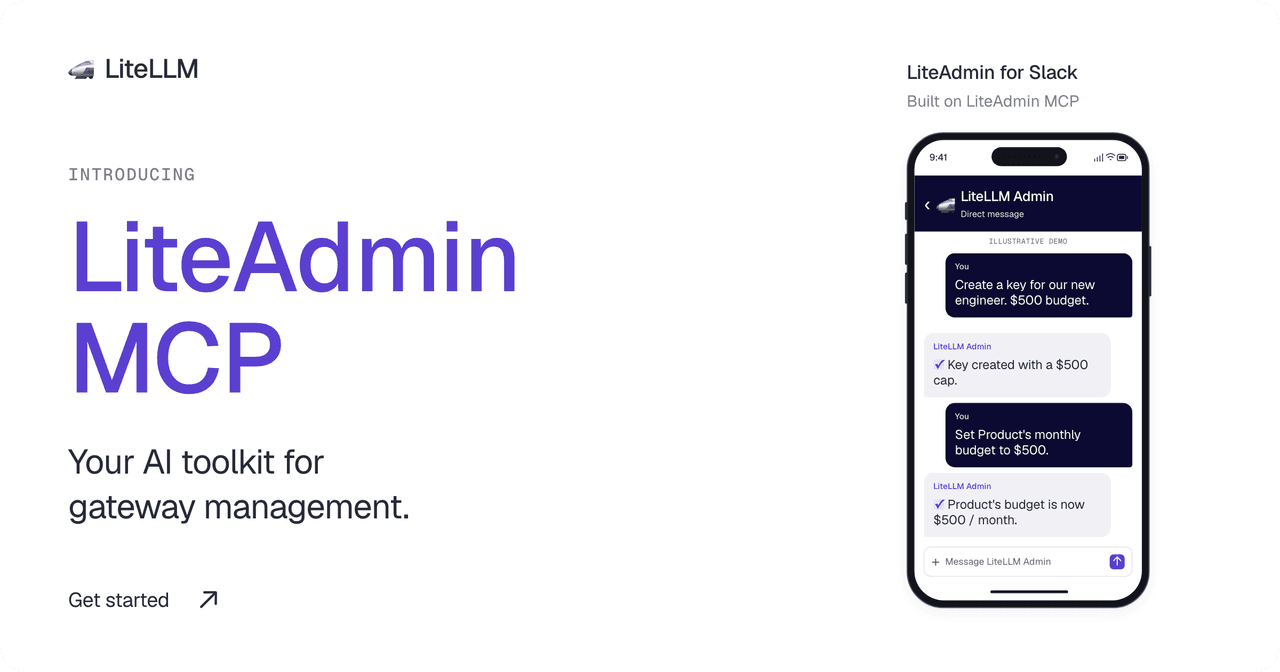
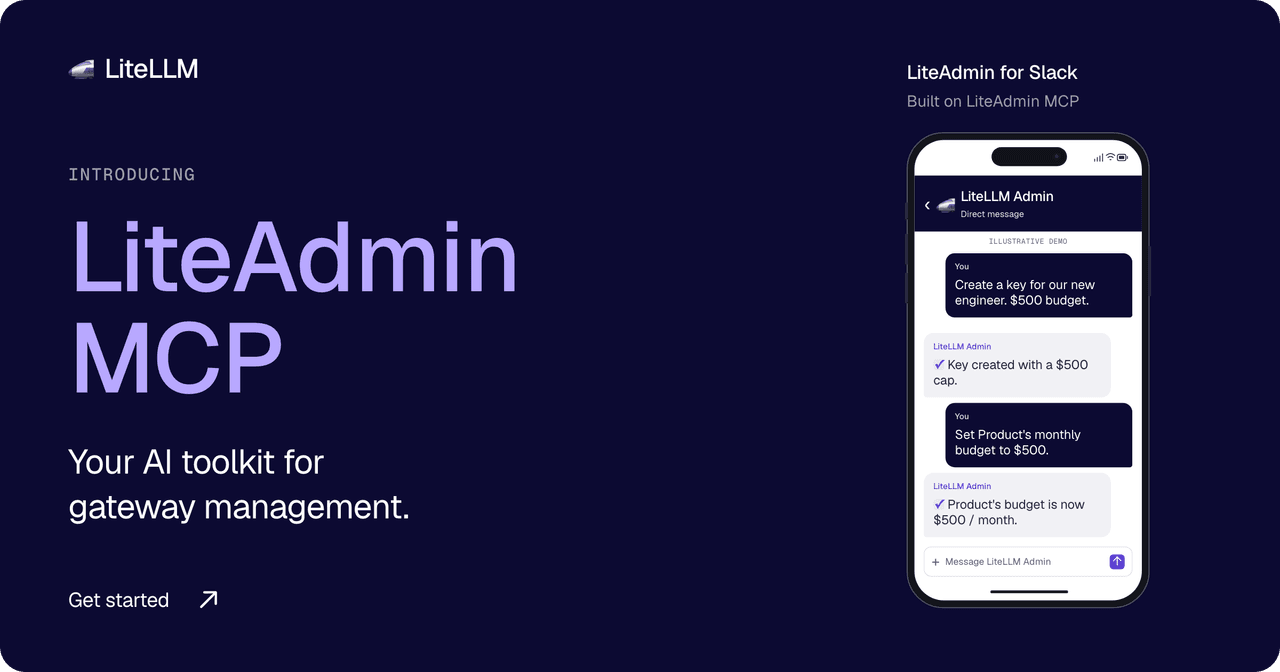
LiteAdmin MCP lets your agent handle these tasks through your gateway's management API. Connect it to an MCP client or a custom agent. We built LiteAdmin, our Slack admin agent, on the same connector.
Anthropic is moving the Claude Code auto mode safety classifier from the client to the Claude API. From v2.1.278 onwards (released 19 September), sessions on Enterprise plans and Claude API accounts will have the safety classifier run on the server as part of the model request. There is no cost to Anthropic for the classifier to run on the server. The rollout began on 18 September and is gradual, starting with the Claude Code CLI and VS Code extension, followed by the desktop app and Claude Code in the browser over the following week. On 25 September auto mode will become the default permission mode in Claude Code. Currently the default is auto on Pro, Max and Team plans and manual on Enterprise plans and Claude API keys (the accounts that are typically behind a gateway) as per Anthropic's permission modes reference.
Server side auto mode is predicated on a contract between Claude Code and the API which some gateways (LiteLLM included) did not honour. The fix first appeared in the dev release cut on Tuesday 22nd September and is now in v1.104.0 stable as well as in the patch releases of the earlier lines. This post covers what Claude Code requires from an AI Gateway, what LiteLLM was doing wrong, what has changed, which release has it, and how you can verify your deployment is ready.
An Auto Router pays for classification before the selected model can answer. In our benchmark, TypeSafe JEV classified requests 5.43x as fast as Haiku, comparing median classifier latency: 126.81 ms versus 688.40 ms. Registry-priced classifier cost was 96.12% lower, rounded to 96% in the title
JEV matched our benchmark's expected tiers on 95.00% of calls, versus 73.75% for Haiku. That result depends on the prompts, tier definitions, instructions and context used here. The expected tiers were authored with the synthetic prompts, without independent review. This comparison does not establish general classification accuracy or the quality of the final answers
We are launching an early beta of the LiteLLM AI Gateway in Rust, and we built AIGatewayBench to measure it against Portkey, Bifrost, and the current LiteLLM Python proxy. Across all four, the LiteLLM Rust gateway has the lowest p99 added latency and the smallest memory footprint by a wide margin: roughly 7x lower overhead and 9x less memory than the next-closest gateway (Bifrost), the lowest cost footprint, and the fastest whole-session times for coding agents. It holds its own on raw sustained throughput and pulls decisively ahead on overhead, memory, and cost.
Over the past year, we have heard the same thing from our users and our community: they want the fastest, most lightweight AI gateway they can run. We have heard you. We are addressing it by moving LiteLLM to Rust, and committing to sub-1ms overhead with a sub-100MB memory binary you can deploy. By the end of this migration, you will get a pure Rust server that can serve 100% of your AI traffic, with every hot path operation, including auth and rate limiting, running in Rust.
Want to help us build it?
We are opening an early beta and want to work directly with teams who care about a fast, lightweight gateway. If that is you, sign up here and we will get you testing the Rust gateway in your own stack, with a direct line to our team.
The reason it matters: under real load, CPU and memory climb with concurrency, and pods get OOM-killed at the worst time. Today the LiteLLM Python proxy peaks around 359MB of memory under load, and that cost multiplies across every pod, region, and retry you run.
We are already seeing the payoff in benchmarks. The Rust gateway serves about 15x the throughput (453 to 6,782 requests per second) on about 11x less memory (359MB to 32MB), and cuts per-request overhead from about 7.5ms on the Python path to about 0.05ms, well under the 1ms we commit to.
You deploy a single Rust binary. It uses about 65MB of memory, gateway overhead stays under 1ms, and nothing in your setup changes: same config.yaml, same database, same client API, same providers. You keep LiteLLM's coverage of 100+ LLM providers behind one OpenAI-compatible API, with /chat/completions, /messages, /responses, and every other LLM endpoint LiteLLM supports today, now as the fastest and most lightweight LLM gateway you can self-host.
This is not a v2 and not a rewrite. There is no new major version to migrate to and nothing for you to change. The runtime under the hot path gets faster and lighter while your config stays exactly where it is.
We ship this the careful way. Each route moves to Rust only after it passes our full parity and end-to-end test suite, and it runs in production before the next route starts. Stability is the priority, and we target zero regressions on every release.
Agent infrastructure is already separating into three layers: models, harnesses, and runtimes. We believe a fourth layer will emerge: the unified agent control plane. This will allow calling agents living in different agent runtimes, all from 1 place.
Harnesses are the next frontier of vendor lock-in. LiteLLM was built to swap across model providers easily. However, as the models get saturated, the next area for competition becomes the harnesses and managed agents. To make it easy to go across vendors at the harness layer, we're launching the Lite-Harness SDK. This is a simple TypeScript+Python SDK which allows developers to change harnesses, like they change models.
The LiteLLM proxy container does 2 very different things. It's an LLM data plane, /chat/completions, /v1/messages, embeddings, passthroughs, where latency is measured in single-digit milliseconds of overhead and traffic is high-volume and bursty. It's also a management control plane for keys, teams, SSO, audit logs, and the spend/usage analytics that power the dashboard, where a single request can scan millions of rows.
Run both on the same event loop, and the slowest thing the control plane does sets the reliability floor for the fastest thing the data plane does. This post is about how we've improved LiteLLM's reliability at scale by offering a componentized deployment model.
Enterprise AI Gateway deployments put Redis in the hot path for nearly every request: rate limiting, cache lookups, spend tracking. When Redis is healthy, the latency contribution is single-digit milliseconds, invisible to end users. When it degrades, a production AI Gateway needs to stay up regardless.
Running LiteLLM at scale across 100+ pods means designing for failure modes before they appear. The easy case is Redis going fully down: fail fast, fall through to the database, continue serving requests. The hard case, the one that takes down gateways, is a slow Redis: still accepting connections, still responding, but timing out after 20-30 seconds per operation.